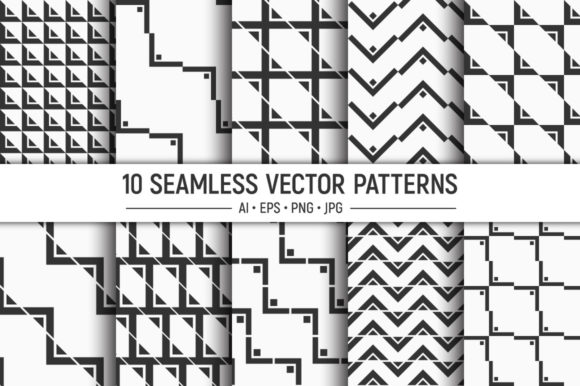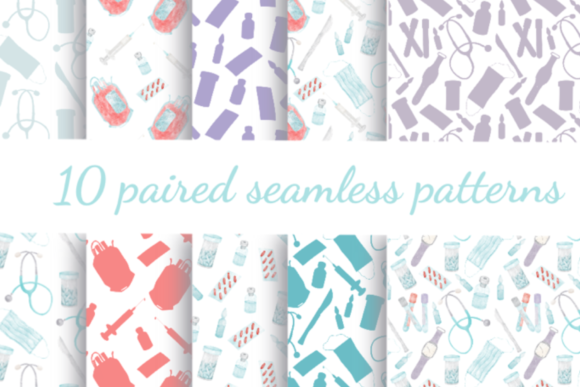
Digital Patterns. Seamless Patterns: A Guide to Choosing and Using High-Quality Floral Collections
In the world of digital design, the difference between a project that looks amateurish and one that exudes professionalism often comes down to the quality of the assets you choose. Digital Patterns. Seamless Patterns featuring floral motifs, leaves, and graphic elements have become a staple for creators across various industries. Whether you are designing a website background, creating custom textiles, or crafting party invitations, these resources offer immense versatility. However, many designers, from beginners to seasoned entrepreneurs, frequently overlook critical details when selecting and implementing these patterns. This oversight can lead to frustrating results, such as pixelated prints, visible seams, or color mismatches that undermine the entire project.
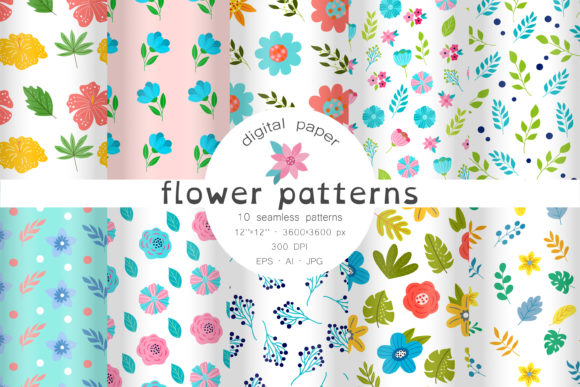
The appeal of a collection like this lies in its adaptability. These seamless patterns are perfect for home decoration, web backgrounds, making cards, wallpaper, textile prints, t-shirt designs, digital paper for scrapbooking, and much more. Yet, simply downloading a file is not enough. To truly leverage the potential of these assets, especially for professional use in the textile industry, web design, marketing, and packaging, you must understand the technical nuances behind them. Let's explore common pitfalls and how to avoid them so you can create stunning, high-quality work every time.
Understanding the Difference Between Raster and Vector Formats
One of the most frequent mistakes creators make is ignoring the file format included in their download package. A typical high-quality set, such as the one described here, usually includes a mix of formats: AI files, EPS files, and JPG files. Beginners often gravitate immediately toward the JPGs because they are easy to open in any image viewer. While JPGs at 300 DPI and 12x12 inches (3600x3600px) are excellent for immediate use in digital scrapbooking or quick social media graphics, they have limitations.
If your goal is to scale a pattern for a large-format print, like a billboard or a full-size bedsheet, a raster image (JPG) may lose clarity if stretched beyond its native resolution. This is where the vector files (AI and EPS) become indispensable. Vectors allow you to recolor the pattern as you like and resize it infinitely without losing quality. A common error is attempting to recolor a JPG in basic photo editing software, which often results in muddy colors and loss of detail. Instead, professionals utilize the AI or EPS files in vector editing software to adjust hues, saturation, and individual elements cleanly. Always check if your project requires scalability before deciding which file type to use.
The Trap of Non-Seamless Tiles
The term "seamless" is often thrown around loosely in marketplaces, but not all patterns labeled as such are truly tileable. A genuine seamless pattern repeats horizontally and vertically without any visible lines or breaks where the images meet. If you apply a non-seamless image as a web background or fabric print, you will end up with distracting grid lines that ruin the aesthetic continuity.
When evaluating Digital Patterns. Seamless Patterns, always test the tile before committing to a large project. You can do this by duplicating the image side-by-side in your design software. If you see a hard edge or a misalignment in the floral stems or leaf clusters, the pattern is not truly seamless. Using such a pattern for textile printing can be catastrophic, resulting in rolls of fabric with obvious, repetitive faults that render the material unsellable. The collection mentioned earlier specifically highlights that the patterns are seamless, which saves you the trouble of manually editing edges, but verification is still a wise step for critical applications.
Color Management and Recoloring Challenges
Color consistency is another area where many projects fall short. A pattern might look vibrant on your calibrated monitor but appear dull or shifted when printed on cotton or viewed on a different mobile device. A significant advantage of having access to vector files (AI and EPS) is the ability to recolor the pattern to match specific brand guidelines or seasonal palettes. However, a common mistake is changing colors without considering the context of the final medium.
For instance, a bright neon flower might look great on a digital screen but could be impossible to reproduce accurately with standard CMYK printing processes used in packaging. Before finalizing your design, convert your colors to the appropriate color space (CMYK for print, RGB for web). Furthermore, when recoloring, ensure that the contrast between the flowers, leaves, and background remains sufficient. Low-contrast designs can look elegant on screen but may disappear entirely when printed on textured paper or fabric. Use the vector files to tweak these relationships until the design pops in its intended environment.
Resolution Requirements for Different Industries
Not all projects demand the same resolution, and using the wrong specs can affect both quality and efficiency. The files packed in the ZIP folder mentioned typically include JPGs at 300 DPI, sized 12x12 inches. This resolution is the gold standard for high-quality printing, such as greeting cards, scrapbook paper, and t-shirt transfers. However, using 300 DPI images for web backgrounds is often unnecessary and can slow down your website's loading speed, negatively impacting user experience and SEO.
Conversely, using low-resolution web images for physical products is a recipe for disaster. If you are working in the textile industry or creating packaging, always start with the highest resolution available or, better yet, the vector source files. A common misconception is that "high resolution" automatically means "good quality." While resolution is crucial, the integrity of the vector paths matters more for scaling. If you need to cover a large surface area, rely on the AI or EPS files to generate a new raster image at the exact dimensions required, rather than stretching an existing JPG.
Maximizing Versatility Across Projects
To get the most value out of a pattern collection, think beyond the obvious uses. These floral and graphic elements are not just for wallpaper; they are powerful tools for branding and marketing. Small business owners can use these patterns to create cohesive packaging tape, lining for gift boxes, or backgrounds for product photography. Educators and bloggers can utilize them to create engaging headers for posts or printable worksheets.
A practical approach is to create a "style guide" for your project. Select two or three patterns from the collection that complement each other—one with a dense floral arrangement and another with a sparse leaf motif. Use the dense pattern for focal points like the front of a card or the main section of a webpage, and the sparser one for secondary areas like envelopes or footers. This creates a professional, layered look rather than a chaotic overload of visuals. Additionally, because the patterns are seamless, they are ideal for generating infinite scrolling backgrounds for websites, adding a dynamic feel without distracting from the content.
Checklist Before You Download and Design
Before you integrate these assets into your workflow, run through a quick mental checklist to ensure success:
- Verify the License: Ensure the usage rights cover your intended application, especially for commercial projects like selling t-shirts or packaging.
- Check File Formats: Confirm the download includes vector files (AI/EPS) if you plan to resize or recolor extensively.
- Test the Seam: Duplicate the pattern tile to ensure there are no visible breaks in the repetition.
- Assess Color Needs: Determine if you need to convert colors for print (CMYK) or screen (RGB) and whether the vector files allow for easy adjustment.
- Match Resolution to Medium: Use 300 DPI for physical prints and optimize file sizes for digital backgrounds to maintain performance.
By paying attention to these details, you transform a simple download into a powerful asset for your creative arsenal. Digital Patterns. Seamless Patterns offer a fantastic foundation for endless creativity, but the final quality depends on how well you understand and manipulate these tools. Avoid the shortcuts that lead to poor outcomes, embrace the flexibility of vector files, and always tailor your technical settings to your specific output medium. With the right approach, these floral and graphic collections can elevate your designs from ordinary to exceptional, satisfying clients and audiences alike.